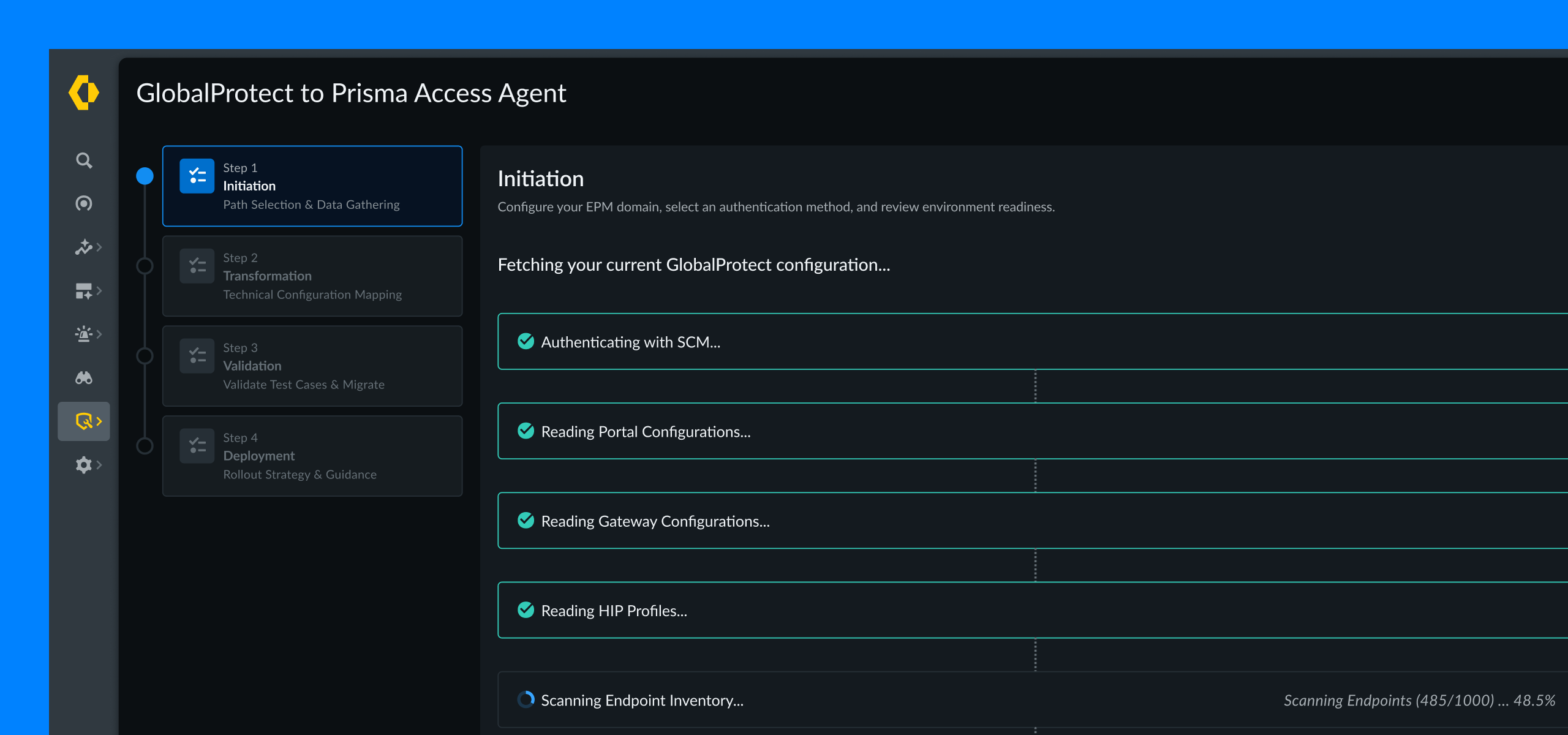
A safer & simpler way for enterprises to migrate from traditional VPN to a more secure & modern VPN.
I designed a guided, self-service experience that enabled enterprise IT admins to safely migrate existing GlobalProtect settings to Prisma Agent without disrupting employees still using GlobalProtect.
Palo Alto Networks makes two VPN apps
Many companies install a VPN app on their employees's laptops. It lets them safely access work resources like private apps, Jira, Figma or Zoom remotely.
GlobalProtect is the old offering...
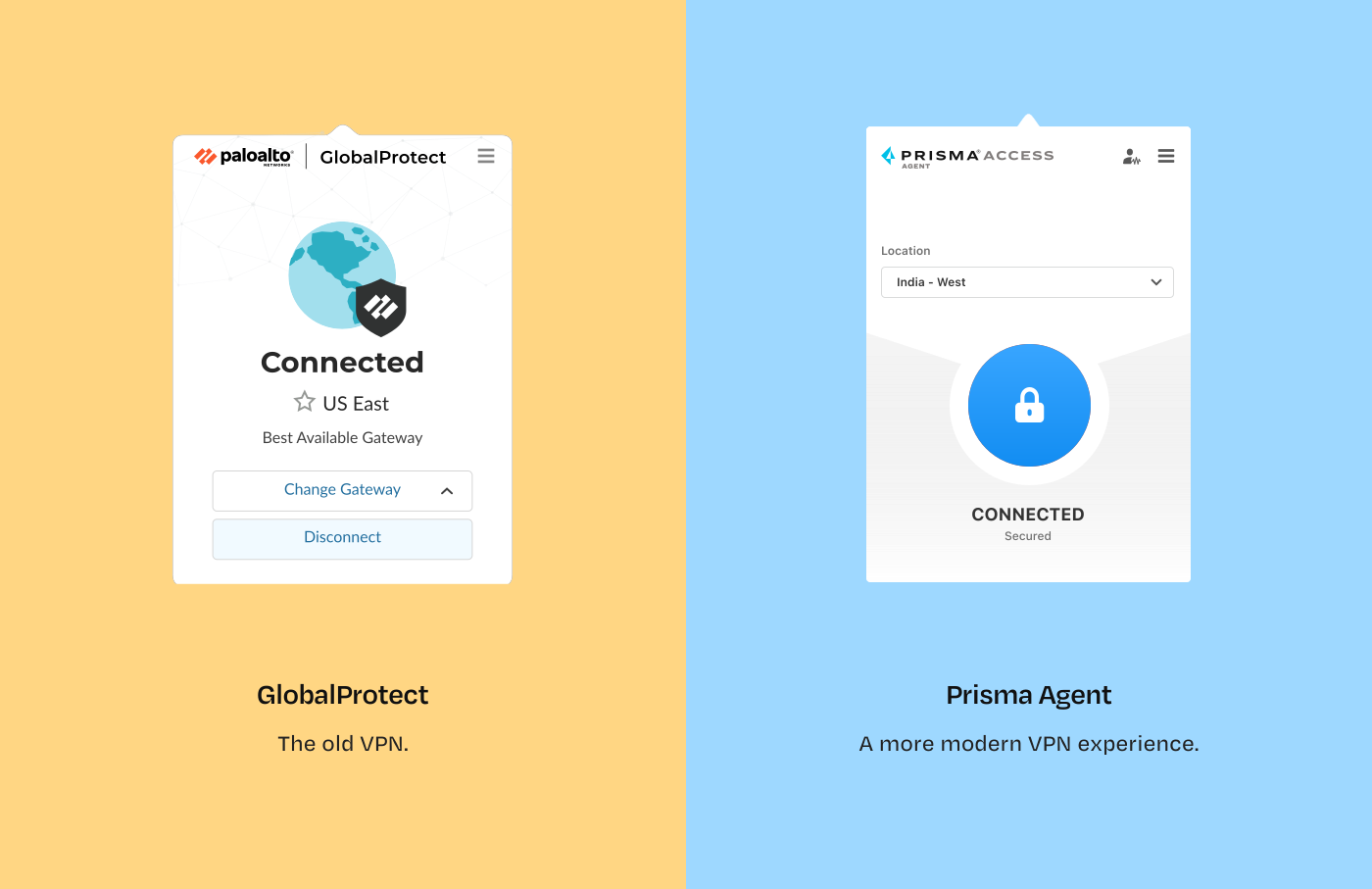
...and Prisma Agent is the newer, more secure one with better features.
and the successor meant to replace GlobalProtect in all existing companies.

So what did Palo Alto Networks really want?
To reach both new and existing customers
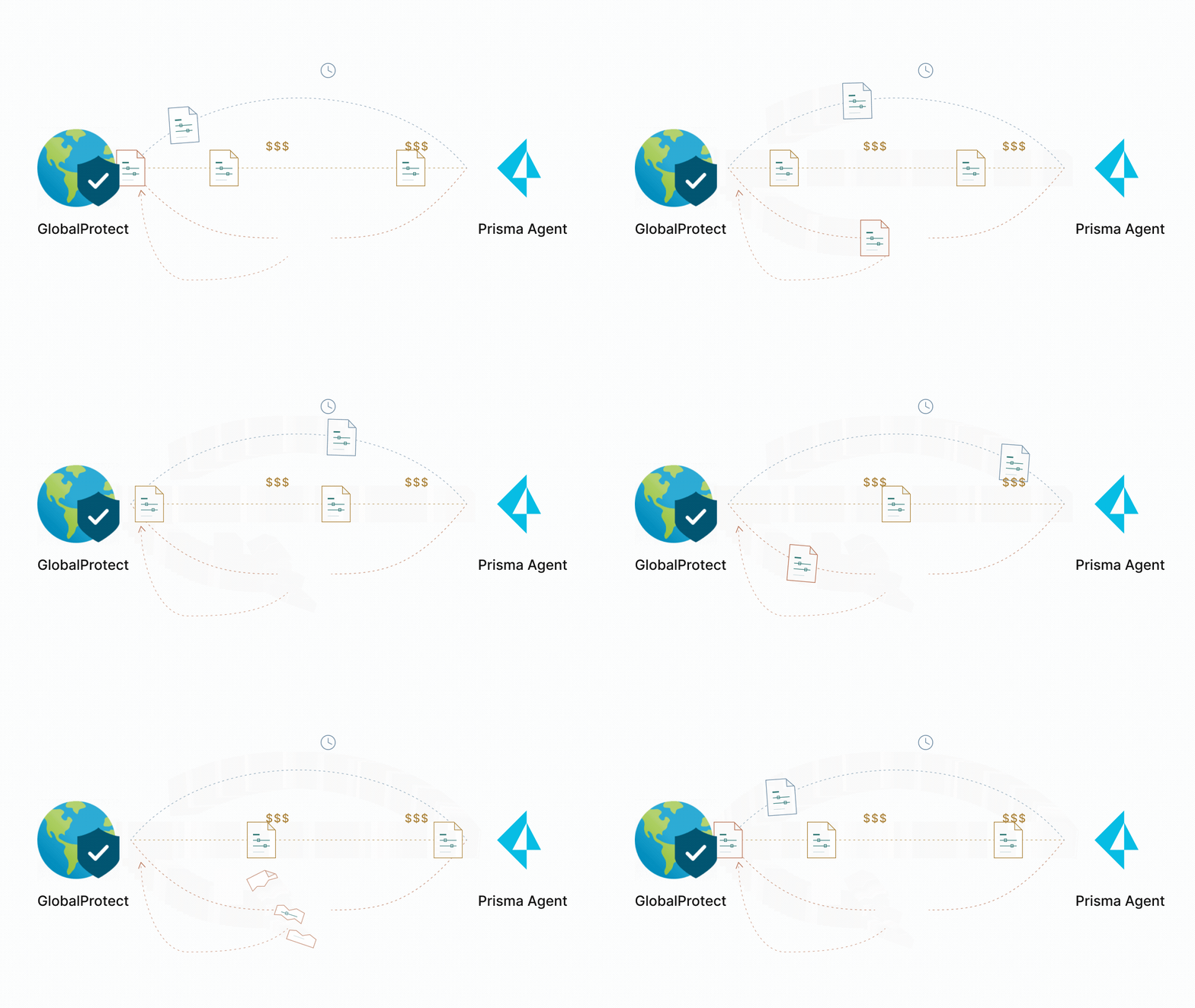
...but existing customers already had years of settings in GlobalProtect.
And moving their established security setups was creating a barrier to wider adoption.
So what exactly made moving to Prisma Agent so difficult for existing customers?
In my discussions with Product and Engineering teams, we discovered four issues:
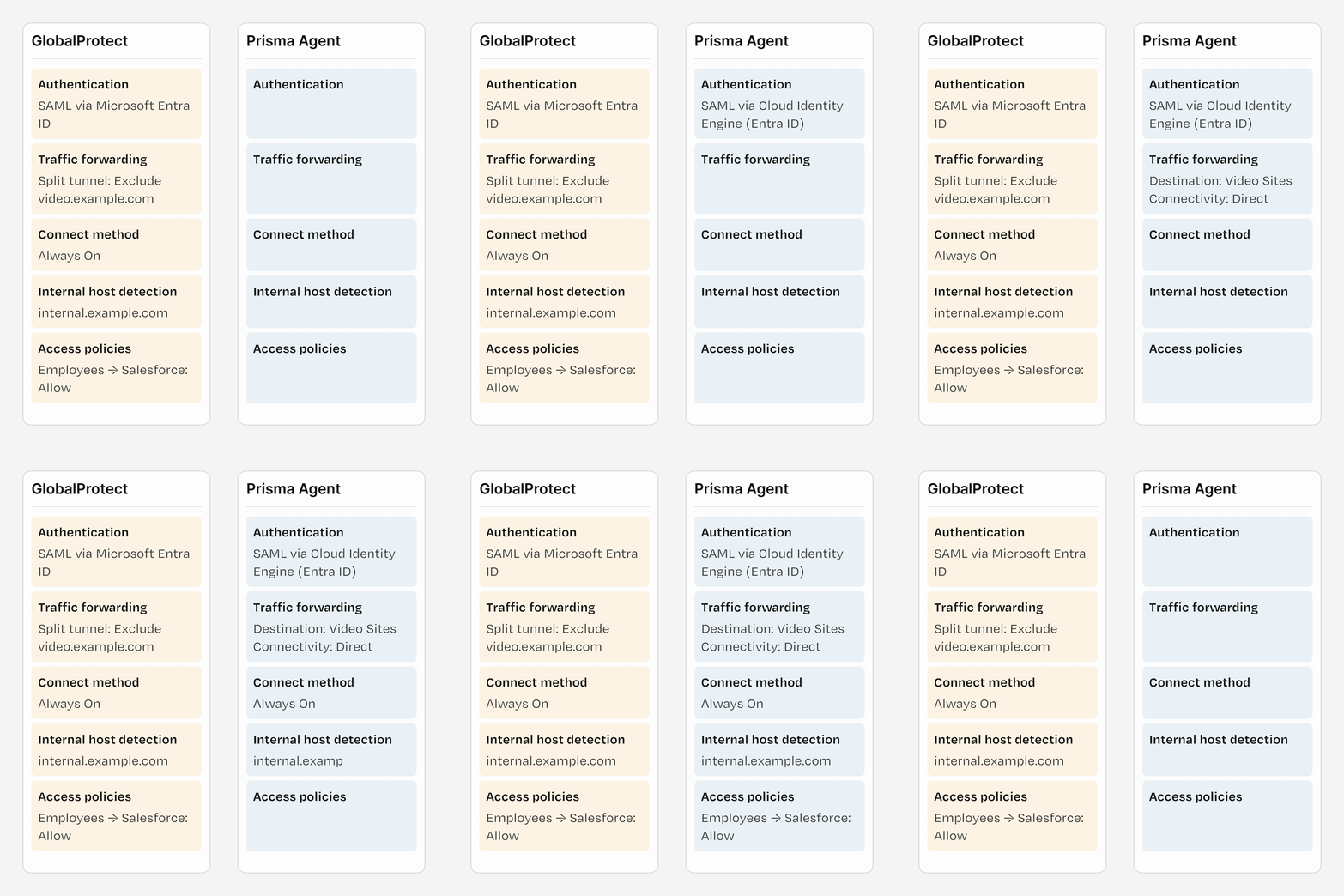
An admin had to retype, one by one, the security rules they had already set up in GlobalProtect.

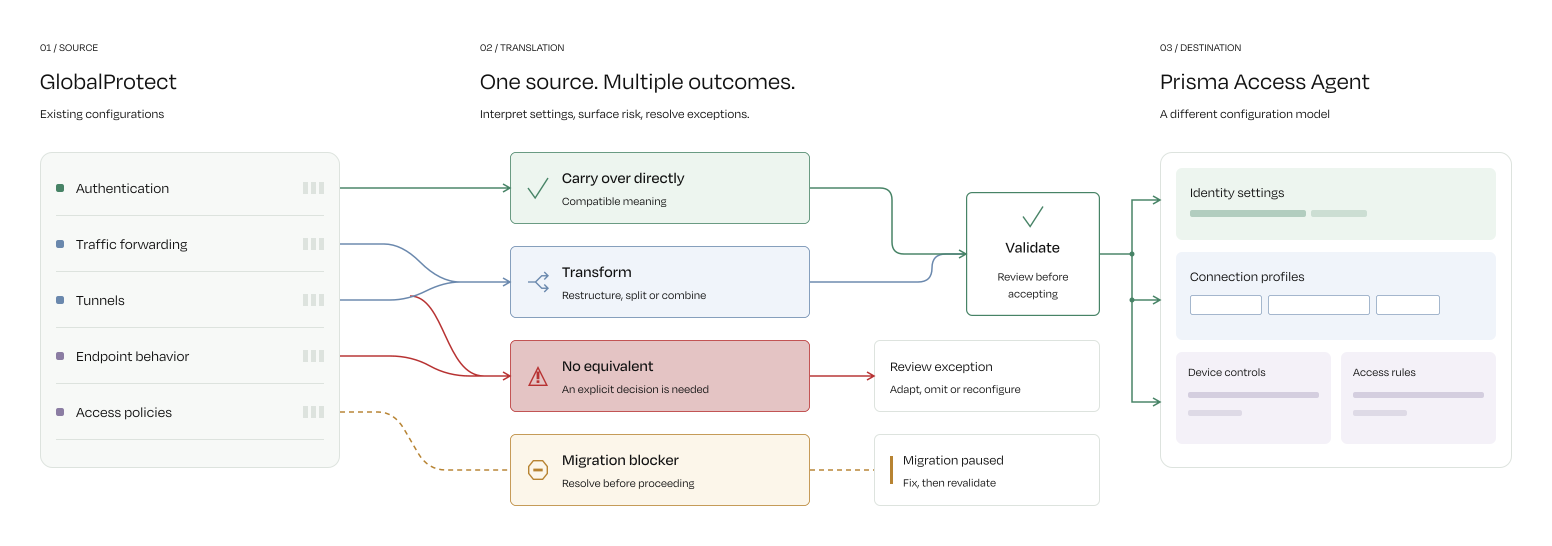
Some settings have to change on the way over. For example, GlobalProtect decides which traffic goes through the company network with “split tunnel” settings. Prisma Access Agent does the same job with “forwarding profiles”.

Migrations often needed Palo Alto Networks engineers or a third-party professional services team. That added cost, extra coordination and waiting time.

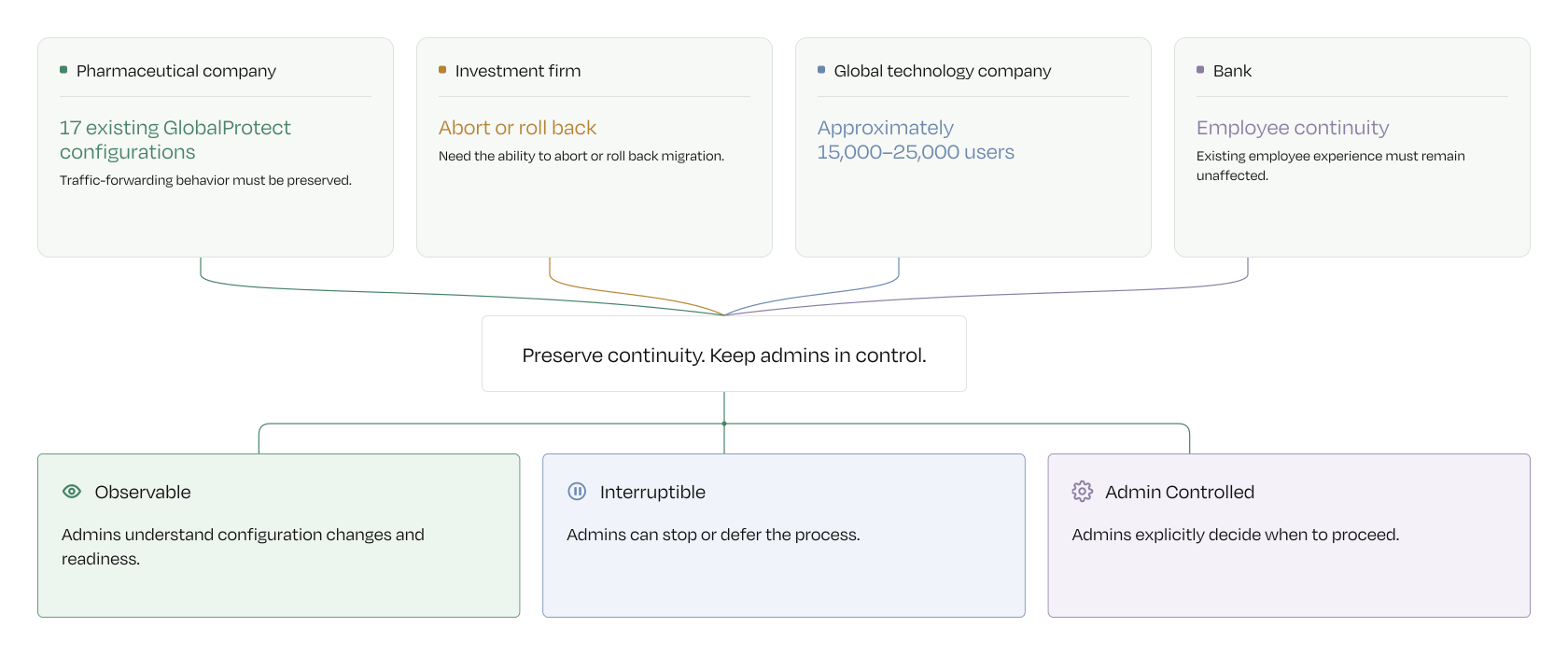
If a rule ships over incorrectly, employees can lose access to the tools they need. So teams had to check everything before switching anyone.
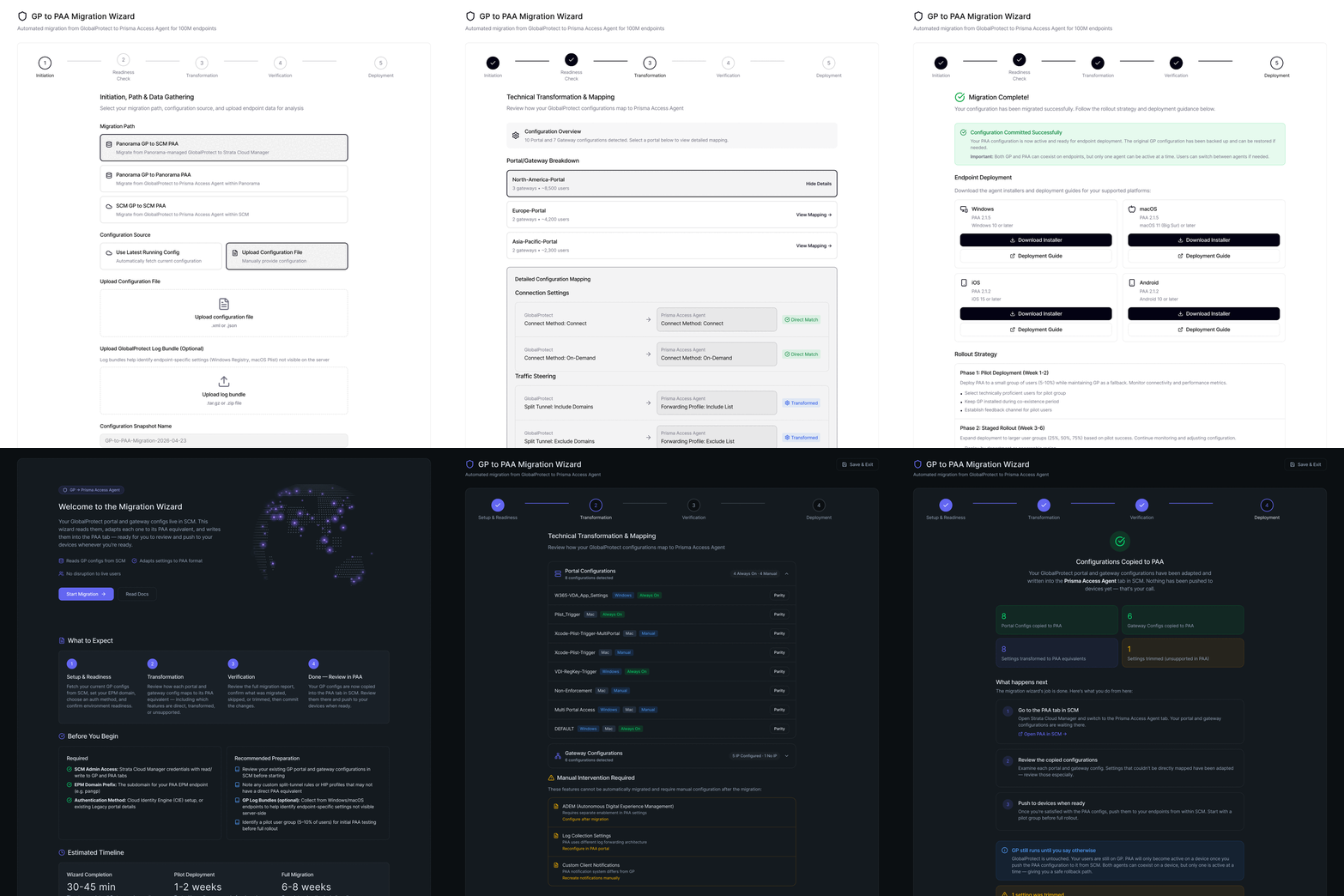
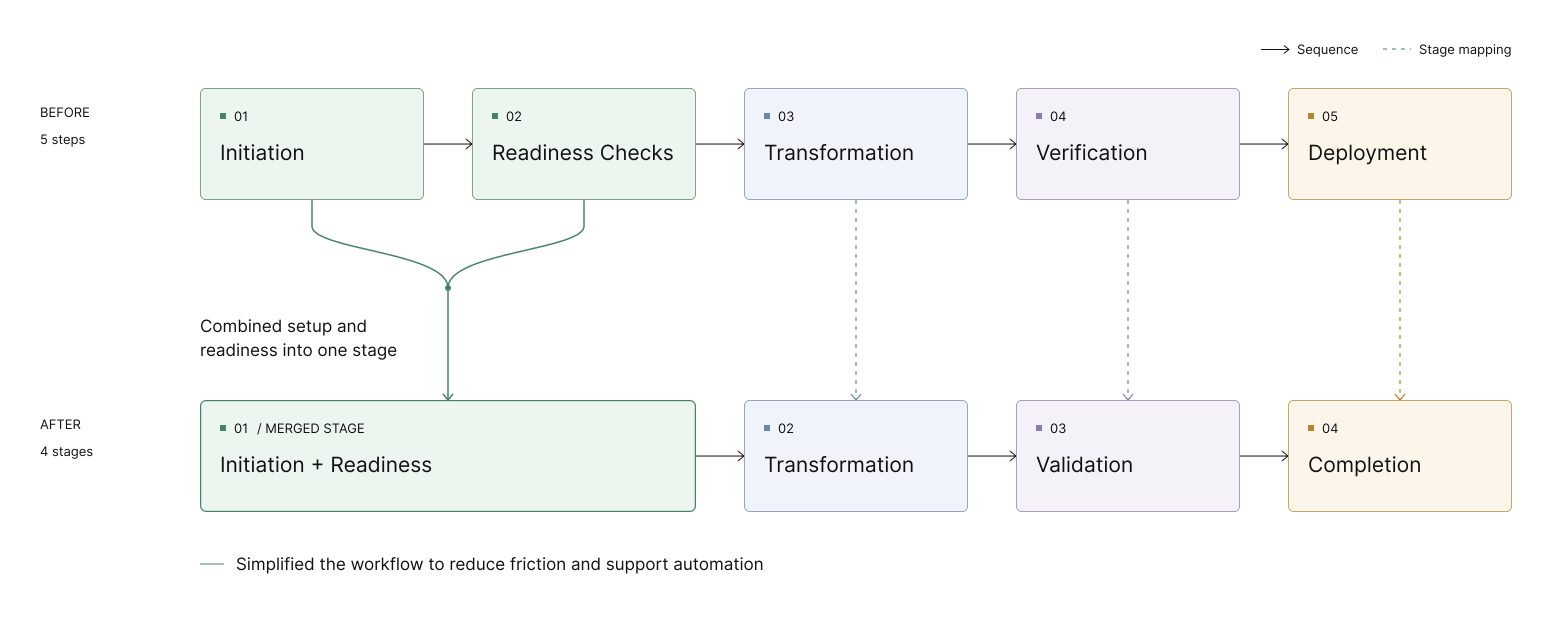
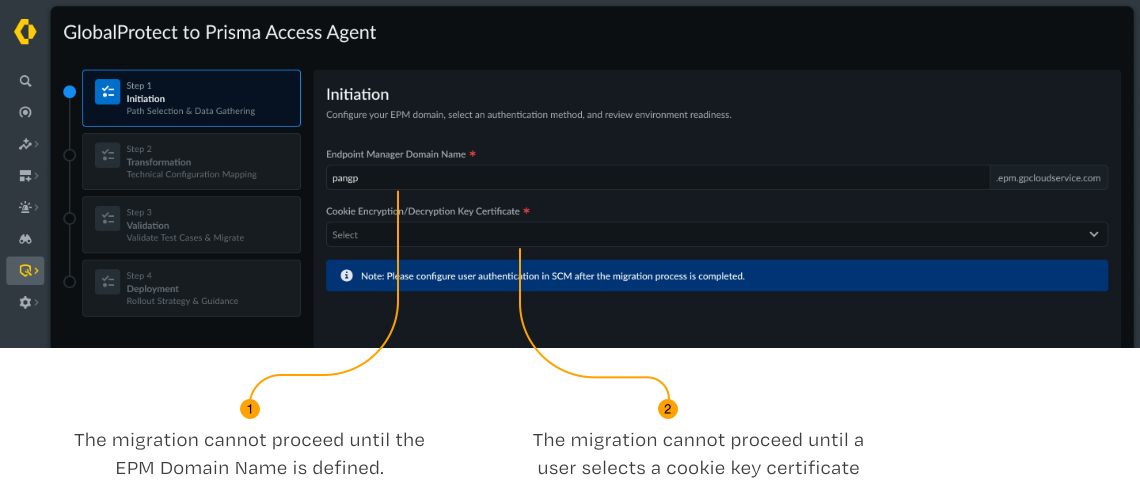
One guided workflow to replace a complicated manual migration.
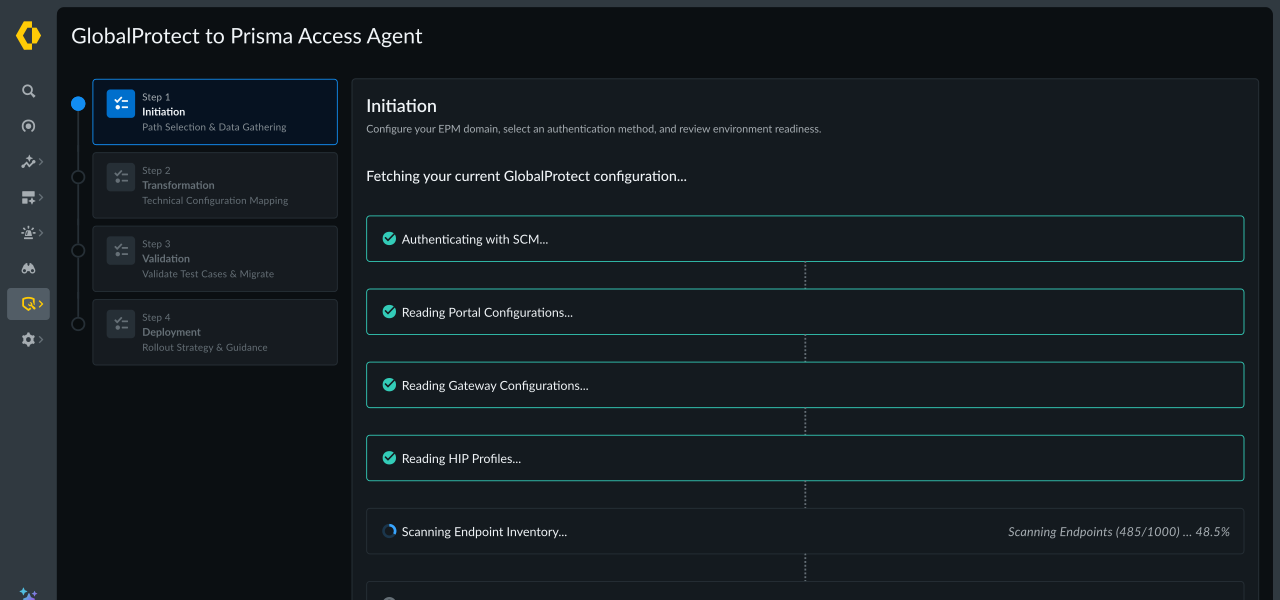
This wizard brings setup, transfer, checks, and rollout guidance all into one place.
“I can move my old settings. But how do I know what they transformed into?”
GlobalProtect and PAA don't always organize security settings in the same way. A successful transfer alone doesn't tell an administrator where a rule ended up or whether it needs attention.
Why did visibility matter?
Migration could finish without making it obvious which GP settings transferred, changed, or needed attention. Admins needed to understand the result before trusting it.
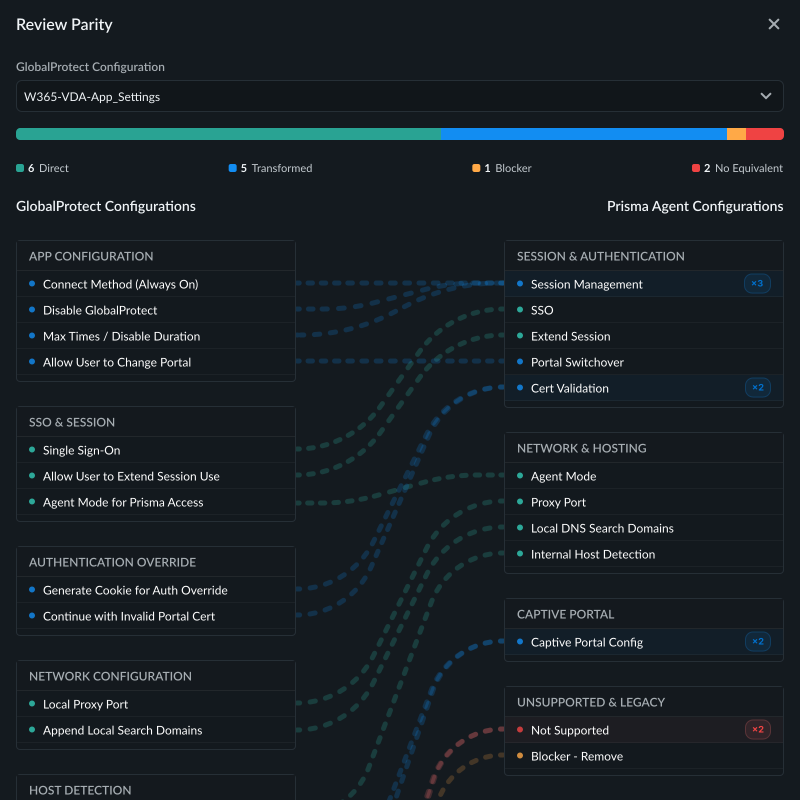
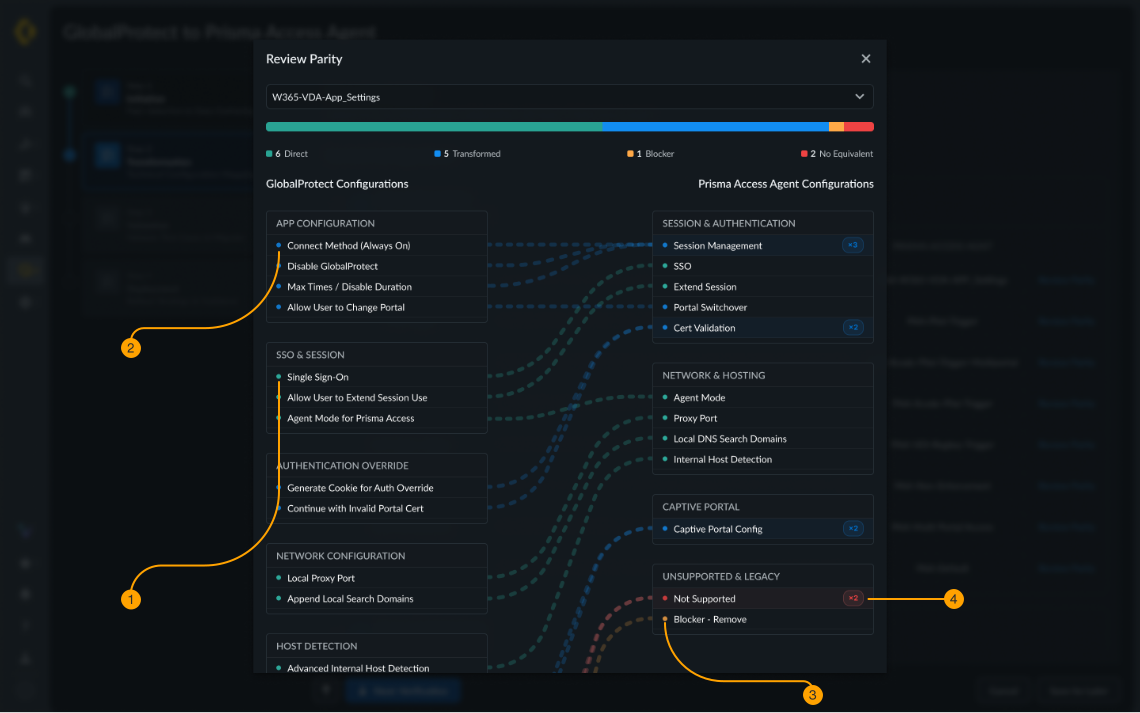
Making the transformation inspectable
The Review Parity view shows GP and PAA settings side by side, connects related rules, and flags direct mappings, transformed settings, blockers, and settings with no equivalent.
“The settings moved. How can I be sure they'll work?”
A configuration can look successfully migrated while still needing checks. In enterprise security, a wrong rule can block employees from accessing work resources.
Why did confidence matter?
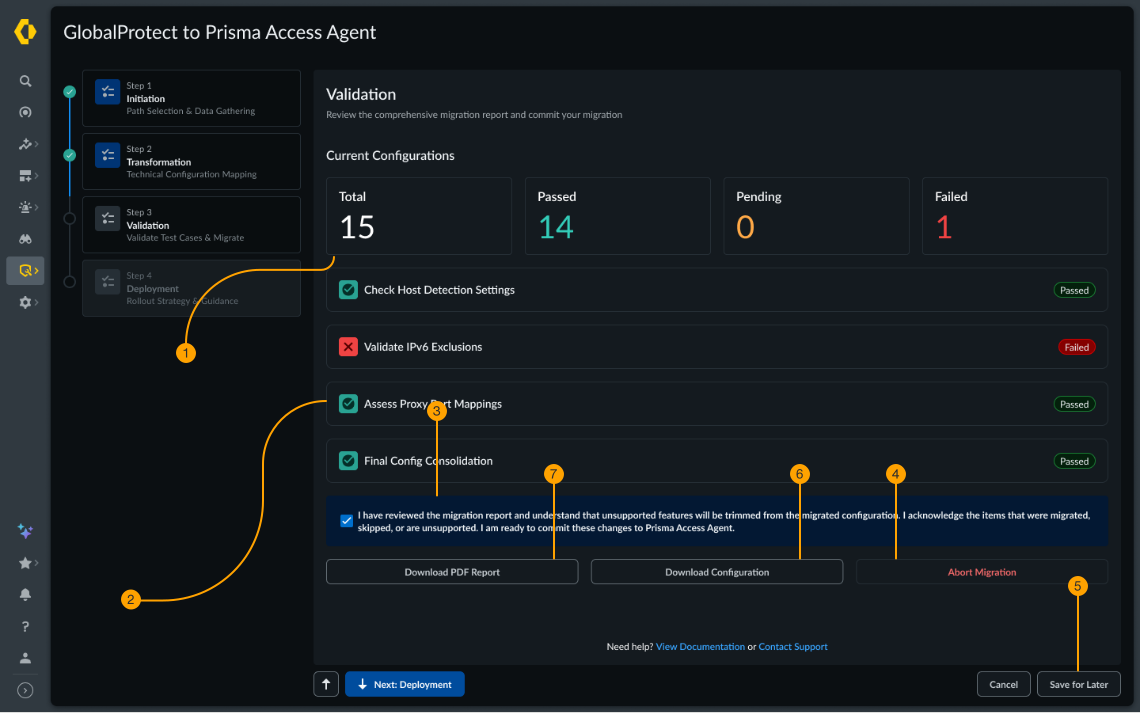
Successfully moving settings didn't guarantee they would work as expected. Admins needed a chance to find problems before those settings affected employees.
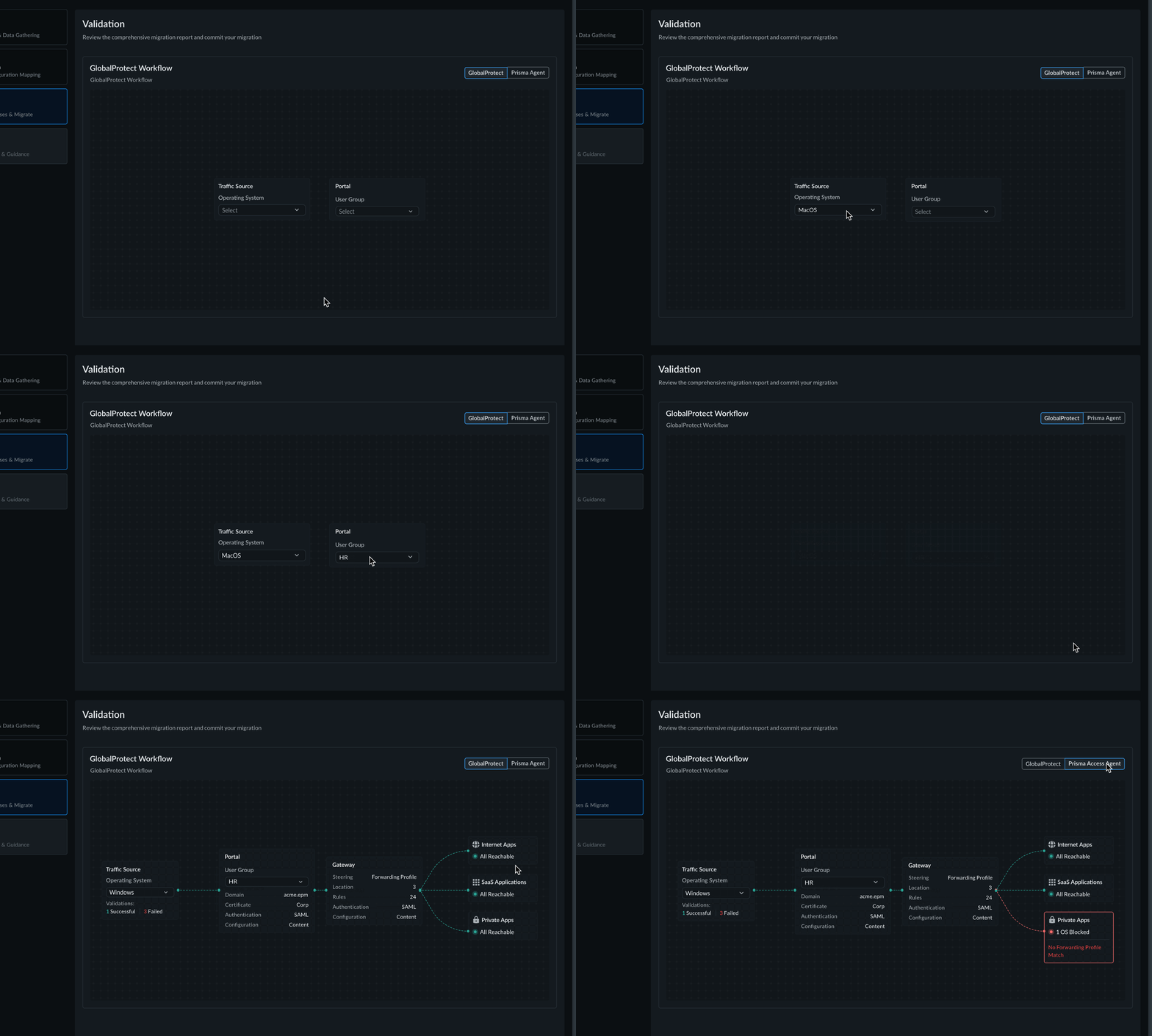
Making validation a clear checkpoint
Validation has its own stage. In the newer mockups, admins can choose the checks they want to run and review the results before moving forward.
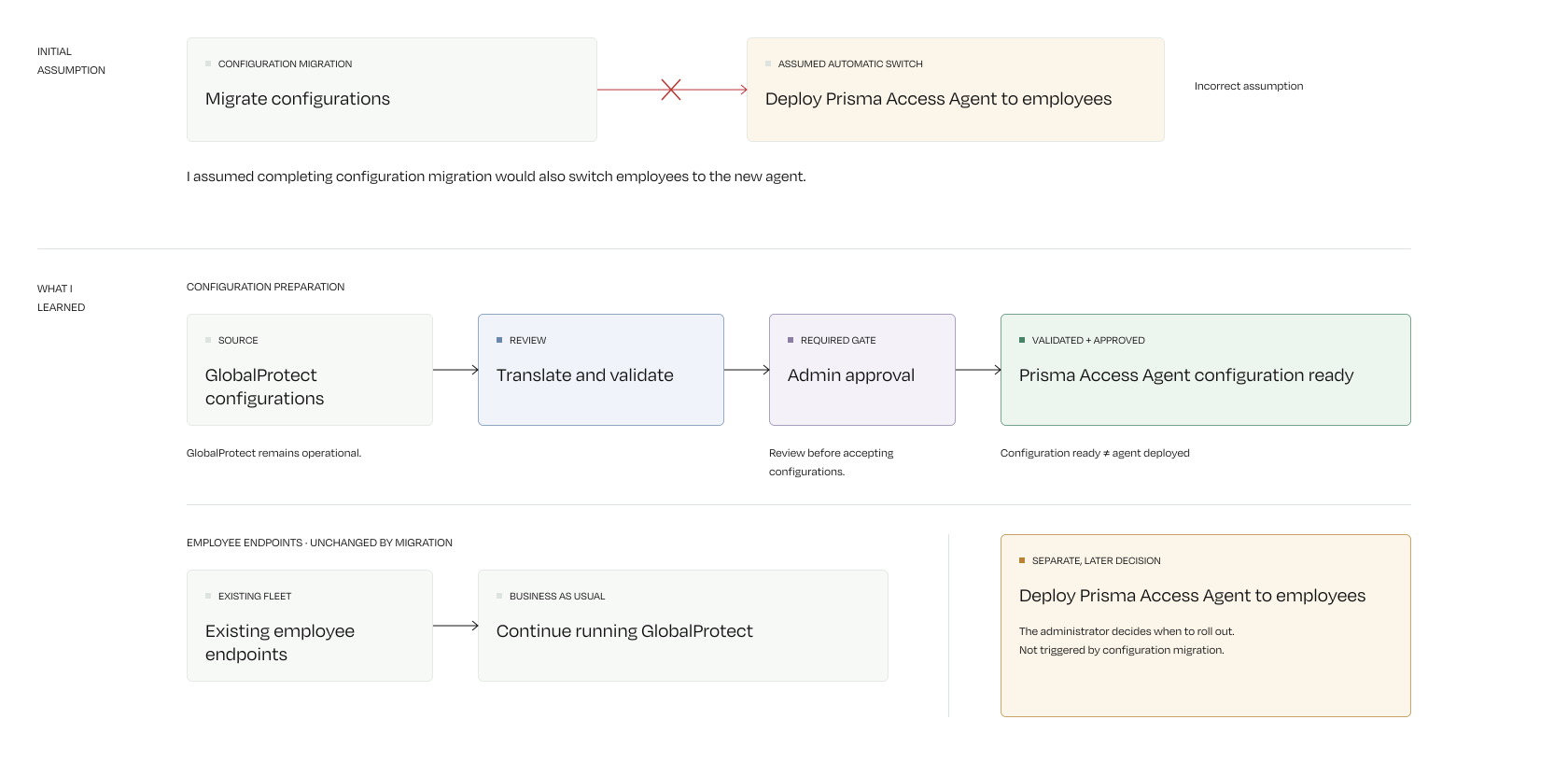
“My configurations are migrated. How do I get Prisma Agent to employees?”
Moving security settings isn't the whole adoption journey. Administrators still need to roll out the new agent to employee devices, and leaving them at a generic success screen creates another handoff.
Why the next step mattered
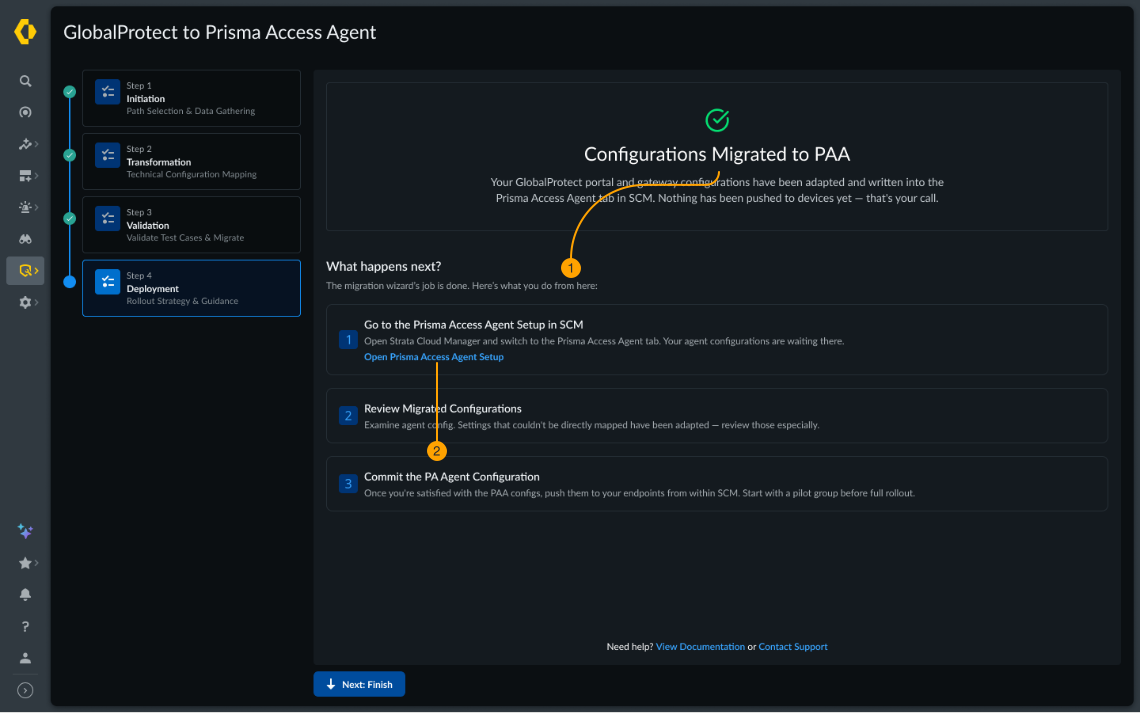
Finishing the configuration migration didn't put PAA on employees' devices. Without a clear next step, admins still had to figure out how to start the rollout.
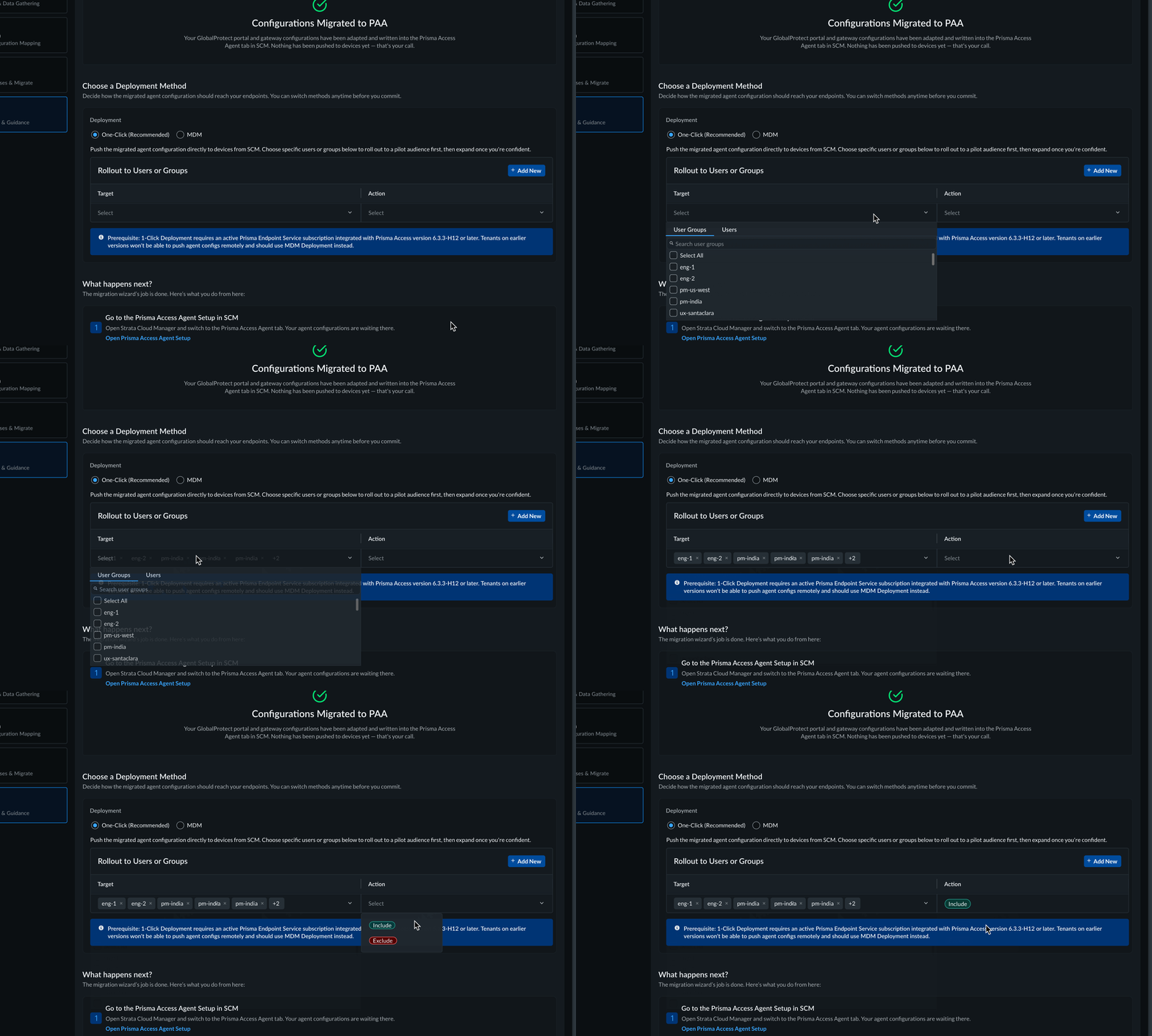
Making deployment actionable
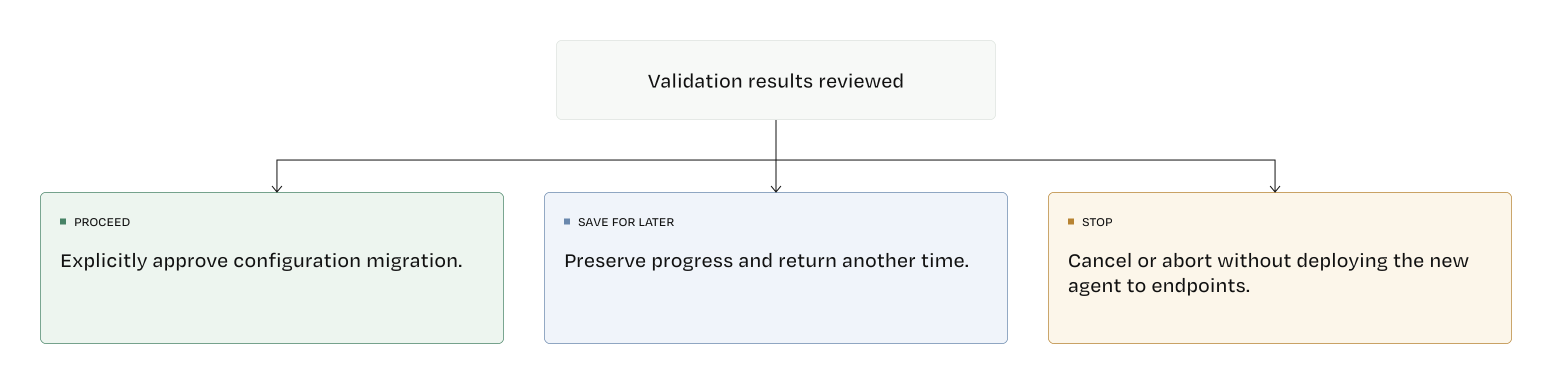
After migration, the wizard presents two routes: deploy PAA directly to users or groups, or continue through the company's mobile device management (MDM) system.
The admin isn't done just because the migration is done. Connecting the last screen to deployment brings the experience closer to the larger goal of PAA adoption.
A smaller migration step for a much bigger customer base.
~800
enterprise tenants identified as eligible for the Phase 1 rollout
~1.5M
endpoints represented by those eligible tenants
~30 min
guided migration time
The business objective was to help existing customers move to PAA. My direct design contribution was making configuration migration easier to understand and carry out.
The Phase 1 rollout plan identified approximately 800 eligible enterprise tenants, representing 1.5 million endpoints.
Engineering estimated that the guided configuration migration could take approximately 30 minutes, compared with days for the existing manual or assisted process.
These figures represent the planned rollout scale and pre-launch estimates. I left the project before implementation, so I couldn't measure actual customer adoption or migration completion times.
What I learned
Understanding the system was just as important as designing the interface.
My job as a designer is to explore the complexity and bring simplicity to users. Elegant solutions require a lot of exploration and iteration.
The name of the game is adaptability
When there's no clarity on what needs to be built, using AI to rapidly prototype wireframes and sharing it with teams helps to come on a concenus and move forward.